

Boy, there are some really neat Flickr Mash-Ups out there! This was actually another one of those humbling assignments that made me realize just how much I *don’t* know about the tools that are available on the web. I just keep repeating to myself, “How do you eat the elephant? One bite at a time!”
The first application I played with is Montager, which creates mosaics from Flickr photos that are searched out based on a tag name of your choice. At first I didn’t see a practical use for it, but the more I played with it, the more I realized what a neat tool it is. It would be a new and creative way to compile photos from a particular event and display them on a website, or you could use it on a school webpage to display photos of your faculty and staff. (With their permission, of course.)
Next I looked at the Big Huge Labs website and tried out the Captioner application, which allows you to add speech and thought bubbles to your photos. This caught my attention because I thought students would enjoy seeing photos turned into cartoons. (In fact, back in the day, I used to buy caption bubble stickers to use on the “real” photos I displayed on my media center bulletin board!) Here is my creation:
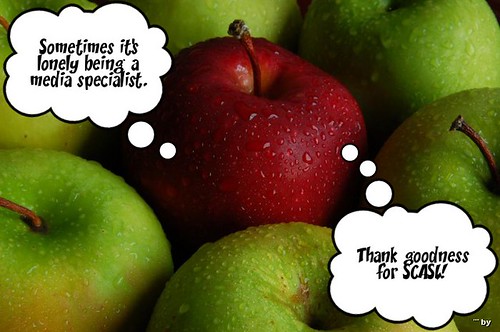
Original Image: ‘Yummy Apples‘
www.flickr.com/photos/23078991@N05/2796325875
Mash-up created with Flickr Toys.
I have two caveats for those who want to use this tool. First, you cannot upload or import Bitmap photos to be captioned; they need to be in the JPEG format. The apple photo that I found at Flickr CC was originally a bitmap image, so I had to convert it in order to caption it. I used my Microsoft Paint program to do that by opening the photo in paint and then saving it, choosing “jpeg” from the Save drop-down file type menu. Easy and free!
Second, you need to start with a large image because the caption bubbles are too big to fit onto a small photo. You can shrink it down after you’ve created and saved it to whatever size you want to use. I had originally saved my apple photo using the “small” option, so I had to go back to the Flickr site and re-save it as a large photo.

Hi Lori!
This is GREAT! Aren’t these mashups fun??
I’m having a blast! I’m spending waaay too much time on the computer, but each project gives me new ideas to use in my media center.